> ## Documentation Index
> Fetch the complete documentation index at: https://docs.heffl.com/llms.txt
> Use this file to discover all available pages before exploring further.
# Workspace and organization settings
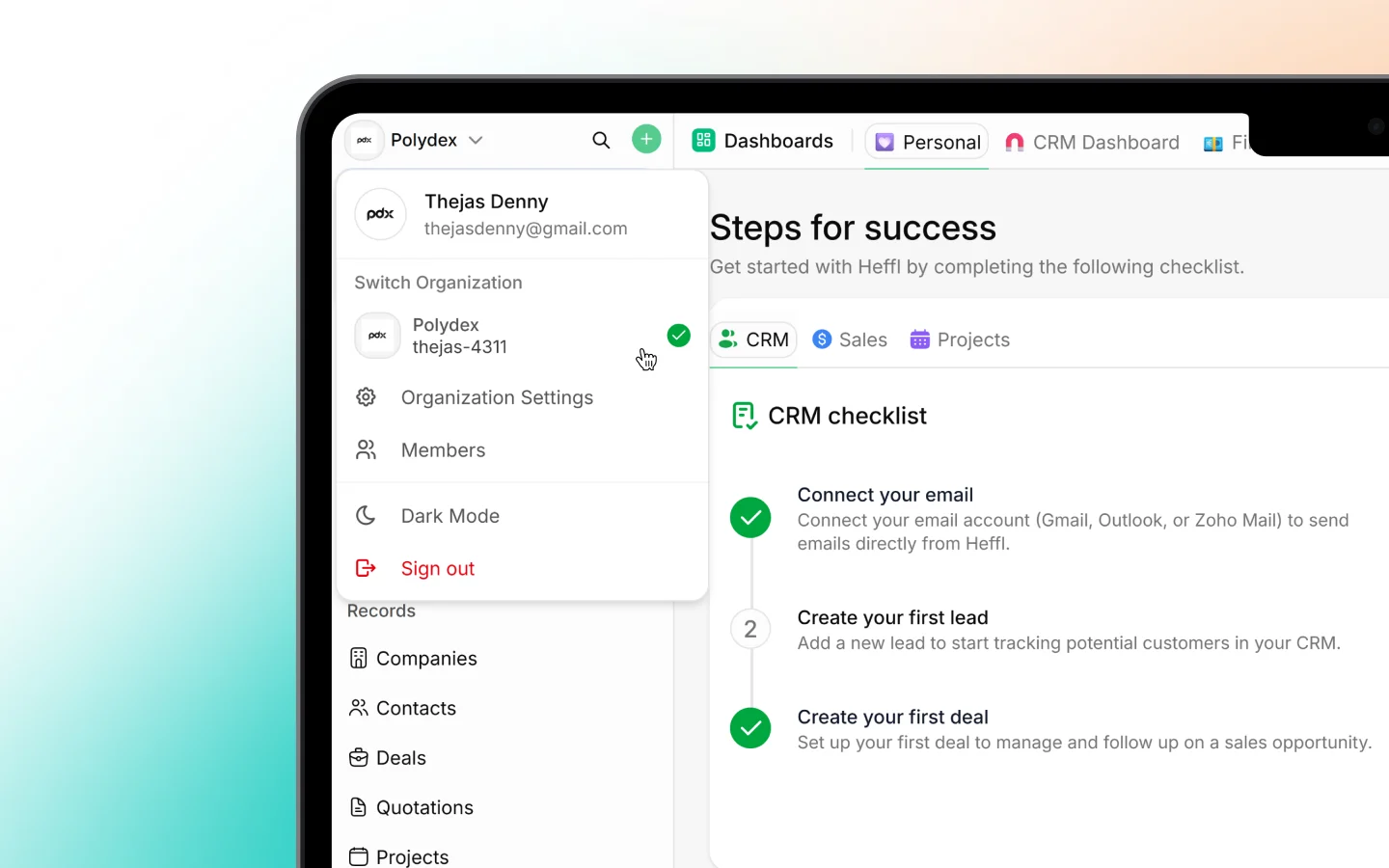
Organization settings affect your whole workspace, not just you. They cover your company details and the configuration that shapes how Heffl works for everyone on your team. These usually require admin or owner access. You will find them under **Settings**, in the **Organization** group. This page gives a brief tour of each, with pointers to fuller guides where they exist.
 ***
## Organization
The **Organization** screen holds your company-level details: company name, logo, address, contact information, default currency, and timezone. These appear on documents you send to clients, such as quotes and invoices, so keep them accurate. See [Setting up your workspace](https://heffl.com/) for the full setup.
***
## Clients
The **Clients** settings control defaults for how companies and contacts behave, such as client types and related options. Your actual client records live under Companies and Contacts; this screen configures the settings behind them. See [Adding and managing companies](https://docs.heffl.com/adding-and-managing-companies).
***
## Tags
**Tags** are the labels you attach to records to group and filter them (such as VIP or Medical). This screen is where you create, rename, and manage the workspace's tag list, so your team uses a consistent set rather than ad-hoc labels.
***
## Lists
**Lists** are saved groups of records, such as VIP Clients or Hot deals, that appear in your sidebar for quick access. This screen manages those lists at the workspace level.
***
## Zones
**Zones** define geographic areas, useful for field service businesses that organize work or staff by region. Set up your zones here so jobs and scheduling can reference them.
***
## Objects
**Objects** let you extend Heffl with custom record types beyond the built-in ones (leads, deals, and so on). This is where you define custom objects to model data specific to your business.
***
## Custom fields and field mappings
Two related screens control your data structure:
* **Custom fields** add your own fields to records (such as a contract end date or tank size). See [Creating and managing custom fields](https://heffl.com/).
* **Field mappings** control how data carries across when records convert, for example which fields flow from a lead into a deal, so information is not lost in the handoff.
***
## Module configuration
Several Organization items configure a specific module. These are documented in their own sections, so here is just what each one does:
* **CRM** settings configure leads, deals, pipelines, and stages. See [Working with the deals pipeline](https://heffl.com/).
* **Sales** settings configure quotations, invoices, and related defaults. See [Creating and sending quotations](https://docs.heffl.com/creating-and-sending-quotations).
* **Projects** settings configure project workflows and stages. See [Introduction to project management in Heffl](https://docs.heffl.com/introduction-to-project-management-in-heffl).
* **Field service** settings configure jobs, schedules, and field options. See [Introduction to field service](https://heffl.com/).
* **Inbox** settings configure your connected conversation channels. See [Inbox: managing conversations](https://docs.heffl.com/inbox-managing-conversations).
* **Integrations** connect third-party tools. See [Integrations and connected apps](https://docs.heffl.com/integrations-and-connected-apps).
* **Client Portal** settings control the portal your clients log into. See [Setting up the client portal](https://docs.heffl.com/setting-up-the-client-portal).
***
## Numbering and document templates
Two more Organization items, **Module numbers** and **Document templates**, control record numbering and your shared document designs. These are covered together in [Numbering and document templates](https://docs.heffl.com/numbering-and-document-templates).
***
## Developers
The **Developers** screen is where you find your API key for building custom integrations. See [Using the Heffl API](https://docs.heffl.com/using-the-heffl-api).
***
## Roles and team access
Managing who can see and do what, inviting members, assigning roles, and setting permissions, is covered in [Inviting your team members](https://heffl.com/).
***
## What to do next
1. Confirm your [organization details](https://heffl.com/) are accurate
2. Set up [custom fields](https://heffl.com/) and tags for your business
3. Review [numbering and document templates](https://heffl.com/)
***
## Organization
The **Organization** screen holds your company-level details: company name, logo, address, contact information, default currency, and timezone. These appear on documents you send to clients, such as quotes and invoices, so keep them accurate. See [Setting up your workspace](https://heffl.com/) for the full setup.
***
## Clients
The **Clients** settings control defaults for how companies and contacts behave, such as client types and related options. Your actual client records live under Companies and Contacts; this screen configures the settings behind them. See [Adding and managing companies](https://docs.heffl.com/adding-and-managing-companies).
***
## Tags
**Tags** are the labels you attach to records to group and filter them (such as VIP or Medical). This screen is where you create, rename, and manage the workspace's tag list, so your team uses a consistent set rather than ad-hoc labels.
***
## Lists
**Lists** are saved groups of records, such as VIP Clients or Hot deals, that appear in your sidebar for quick access. This screen manages those lists at the workspace level.
***
## Zones
**Zones** define geographic areas, useful for field service businesses that organize work or staff by region. Set up your zones here so jobs and scheduling can reference them.
***
## Objects
**Objects** let you extend Heffl with custom record types beyond the built-in ones (leads, deals, and so on). This is where you define custom objects to model data specific to your business.
***
## Custom fields and field mappings
Two related screens control your data structure:
* **Custom fields** add your own fields to records (such as a contract end date or tank size). See [Creating and managing custom fields](https://heffl.com/).
* **Field mappings** control how data carries across when records convert, for example which fields flow from a lead into a deal, so information is not lost in the handoff.
***
## Module configuration
Several Organization items configure a specific module. These are documented in their own sections, so here is just what each one does:
* **CRM** settings configure leads, deals, pipelines, and stages. See [Working with the deals pipeline](https://heffl.com/).
* **Sales** settings configure quotations, invoices, and related defaults. See [Creating and sending quotations](https://docs.heffl.com/creating-and-sending-quotations).
* **Projects** settings configure project workflows and stages. See [Introduction to project management in Heffl](https://docs.heffl.com/introduction-to-project-management-in-heffl).
* **Field service** settings configure jobs, schedules, and field options. See [Introduction to field service](https://heffl.com/).
* **Inbox** settings configure your connected conversation channels. See [Inbox: managing conversations](https://docs.heffl.com/inbox-managing-conversations).
* **Integrations** connect third-party tools. See [Integrations and connected apps](https://docs.heffl.com/integrations-and-connected-apps).
* **Client Portal** settings control the portal your clients log into. See [Setting up the client portal](https://docs.heffl.com/setting-up-the-client-portal).
***
## Numbering and document templates
Two more Organization items, **Module numbers** and **Document templates**, control record numbering and your shared document designs. These are covered together in [Numbering and document templates](https://docs.heffl.com/numbering-and-document-templates).
***
## Developers
The **Developers** screen is where you find your API key for building custom integrations. See [Using the Heffl API](https://docs.heffl.com/using-the-heffl-api).
***
## Roles and team access
Managing who can see and do what, inviting members, assigning roles, and setting permissions, is covered in [Inviting your team members](https://heffl.com/).
***
## What to do next
1. Confirm your [organization details](https://heffl.com/) are accurate
2. Set up [custom fields](https://heffl.com/) and tags for your business
3. Review [numbering and document templates](https://heffl.com/)