> ## Documentation Index
> Fetch the complete documentation index at: https://docs.heffl.com/llms.txt
> Use this file to discover all available pages before exploring further.
# Quick start guide (5-minute setup)
This guide gets you from a new account to your first sent quote in about five minutes. For detailed setup, see [Setting up your workspace](https://docs.heffl.com/getting-started/untitled-page-1).
***
## Before you begin
Have these ready:
* Your company name and logo
* Your bank details or a Stripe account (for payments)
* One client's name and email to test with
***
## Step 1: Add your company details (1 minute)
Go to **Settings > Organization > General** and enter your company name, logo, address, and default currency. These appear on every document you send, so this matters most.
***
## Step 2: Turn on the modules you need (30 seconds)
Go to **Settings > Organization > Permission Set** and enable what fits your business. If unsure, start with **CRM + Sales**. You can add more later.
***
## Step 3: Add your first lead (1 minute)
Go to **Records > Leads** and click **+Lead**. Enter their name and email. This is the client you will send a test quote to.
***
## Step 4: Create and send a quote (2 minutes)
1. Go to **Records > Quotations** and click **+Quotation** or press “C”
2. Select the client you just added
3. Add a product or type a line item with a price
4. Click **Send**
Your client receives a professional quote by email. You have now completed the core Heffl workflow.
***
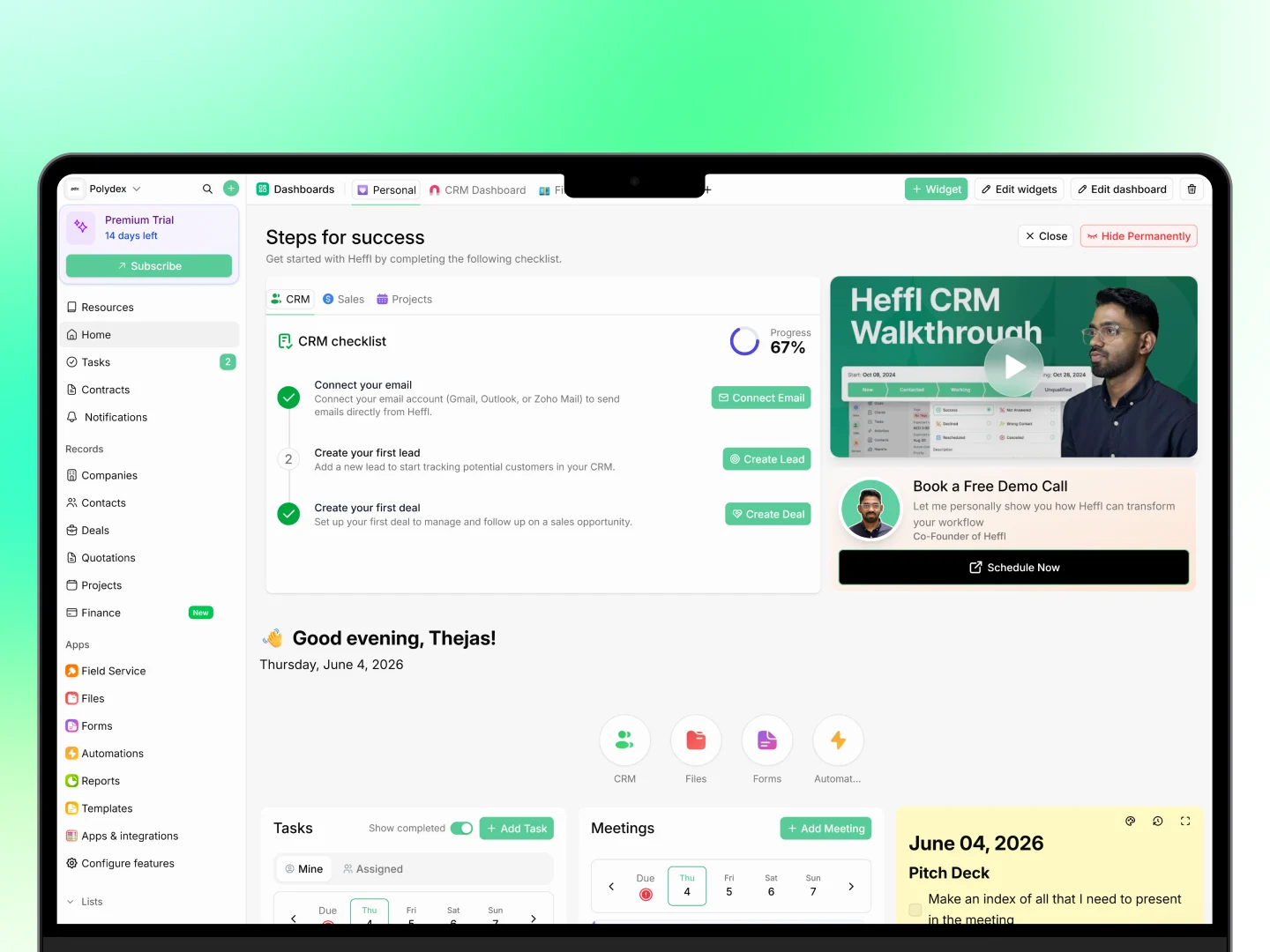
## Step 5: Explore your dashboard (30 seconds)
Return to **Home**. Your dashboard shows tasks, meetings, and quick access to every module.
 ***
## What to do next
You are set up. From here:
* **Invite your team** so others can help. See [Inviting your team members](https://docs.heffl.com/getting-started/untitled-page-2).
* **Connect your email** to send documents from your own address. Go to **Settings > Organization > Integrations**.
* **Set up payments** so clients can pay online. Connect Stripe or add bank details under **Settings > Organization > Payment Methods**.
* **Explore your modules** from the sidebar to match Heffl to your full workflow.
***
## What to do next
You are set up. From here:
* **Invite your team** so others can help. See [Inviting your team members](https://docs.heffl.com/getting-started/untitled-page-2).
* **Connect your email** to send documents from your own address. Go to **Settings > Organization > Integrations**.
* **Set up payments** so clients can pay online. Connect Stripe or add bank details under **Settings > Organization > Payment Methods**.
* **Explore your modules** from the sidebar to match Heffl to your full workflow.